Restoration Equipment Tracking: How Drying Equipment Disappears Across 20 Job Sites
A restoration company with 25 active water losses has 150 pieces of drying equipment deployed across a metro area. Dehumidifiers in basements. Air movers in living rooms. Air scrubbers in crawl spaces. Every job runs three to seven days, then the equipment needs to come back to the warehouse for cleaning, maintenance, and redeployment.
In practice, about 75% of it comes back. The rest sits in customers' garages after the job closes, rides around in technicians' trucks for weeks, or ends up at a subcontractor's warehouse. By the end of the year, 15-25% of the fleet is unaccounted for. That's $15,000-$50,000 in replacement costs for a mid-size company, and significantly more for large franchise operations.
This isn't a theft problem. It's a visibility problem. Nobody knows where the equipment is once it leaves the warehouse.
The Restoration Equipment Problem
What a Typical Fleet Looks Like
Restoration companies, whether independent shops or franchise operations like ServPro, Paul Davis, or PuroClean, manage a surprisingly large equipment fleet relative to their revenue.
| Equipment Category | Examples | Value Per Unit | Typical Fleet Count |
|---|---|---|---|
| Commercial dehumidifiers | Dri-Eaz Revolution, Phoenix 200 HT, BlueDri | $1,000-$3,500 | 40-80 |
| Air movers/fans | Dri-Eaz Sahara, Phoenix Axial, B-Air | $200-$500 | 60-150 |
| Air scrubbers/negative air | Phoenix Guardian, Dri-Eaz DefendAir | $1,000-$5,000 | 10-25 |
| Moisture meters | Delmhorst, Tramex, Protimeter | $300-$1,200 | 10-20 |
| Thermal imaging cameras | FLIR E-series, Seek Thermal | $3,000-$10,000 | 3-8 |
| Extractors and pumps | Truck-mount extractors, submersible pumps | $500-$5,000 | 5-15 |
| Hydroxyl generators | Pyure, ODOROX | $2,000-$6,000 | 5-10 |
| Trailers and box trucks | Equipment hauling, mobile storage | $5,000-$40,000 | 2-6 |
Total equipment value for a mid-size restoration company: $300,000-$800,000. For a large multi-location operation or franchise with 50+ employees: $1M-$3M+.
Why Restoration Is Different from Other Trades
Restoration has equipment management challenges that most contractors and service companies never face.
Equipment rotates daily, not weekly. A plumber's truck carries the same tools every day. A restoration tech picks up 8-12 pieces of equipment from the warehouse in the morning, drops them at a new water loss, picks up equipment from a completed job across town, and returns partial loads to the warehouse. The same dehumidifier might touch three locations in a single day during busy season.
Job sites are customers' homes. Construction contractors work on fenced sites with controlled access. Restoration techs deploy $10,000 worth of equipment inside someone's living room and leave it running unattended. Homeowners move things. Adjusters request equipment removal before drying is complete. Tenants stack air movers in the garage because the noise bothers them.
No controlled environment. A warehouse has shelves and inventory zones. A water loss is a chaotic residential or commercial space where equipment gets spread across multiple rooms, floors, and sometimes multiple buildings within a single property. Counting equipment at a job site means walking through every room.
Subcontractors complicate everything. Large losses get subbed out to smaller companies. Equipment from multiple companies ends up at the same job. When the job closes, sorting out who owns which dehumidifier becomes a dispute. Equipment that "went to the sub's warehouse" is equipment you may never see again.
Seasonally volatile demand. A pipe burst in January or a hurricane in September can triple equipment deployment overnight. During surge events, tracking discipline breaks down first. Techs grab equipment without logging it. Warehouse staff can't keep up with check-in/check-out. By the time the surge ends, nobody knows where anything is.
The Cost of Untracked Restoration Equipment
Annual Shrinkage: The Numbers
Industry data and conversations with restoration company owners consistently point to 15-25% annual equipment shrinkage for companies without a tracking system. For a company with $500,000 in equipment, that's $75,000-$125,000 per year in lost and unreturned assets.
Where does it go?
| Loss Category | % of Total Shrinkage | Description |
|---|---|---|
| Left at closed jobs | 35-45% | Equipment sitting at completed sites that nobody picked up |
| In technician vehicles | 20-25% | Techs keep "their" equipment in their trucks and vans |
| Subcontractor losses | 15-20% | Equipment loaned to subs that doesn't return |
| Actual theft | 10-15% | Stolen from job sites, vehicles, or during transport |
| Damaged and unreported | 5-10% | Broken equipment that techs discard without logging |
The largest category, equipment left at closed jobs, is entirely preventable with tracking. That alone represents $25,000-$55,000/year for a mid-size company.
The Replacement Cycle
Most restoration companies buy a round of new dehumidifiers and air movers every spring. By fall, a meaningful portion has evaporated from inventory. The owner buys more. The cycle repeats. What looks like normal equipment wear and replacement is actually chronic loss masked as business expense.
A company replacing 20 dehumidifiers per year at $2,000 each spends $40,000. If tracking prevents even half of those losses, that's $20,000 saved annually, more than the cost of tracking the entire fleet.
The Hidden Cost: Equipment Utilization
When you don't know where your equipment is, you buy more than you need. A restoration company that can't locate 30 of its dehumidifiers will purchase 30 replacements, even though most of the originals are recoverable. The "lost" equipment resurfaces over time, and now the company owns 30% more dehumidifiers than it needs. Capital tied up in excess inventory is capital not available for growth.
How Restoration Companies Currently Track Equipment
The Spreadsheet
The most common system. A shared Google Sheet or Excel file where techs log equipment check-out and check-in by serial number. The problem: it depends on every technician, every time, updating the spreadsheet accurately. During a water loss emergency at 2am, the tech grabs equipment from the warehouse and drives to the job. The spreadsheet doesn't get updated until later. Or never.
Accuracy degrades quickly. Within 60 days of deployment, most spreadsheet-based systems are unreliable enough that the warehouse manager treats them as rough guidance rather than source of truth.
The Whiteboard
Some companies keep a physical whiteboard in the warehouse showing which equipment is at which job. This only works when someone updates it. The same discipline problem applies, and the whiteboard doesn't travel to the job site, so there's no verification that the equipment actually arrived where the board says it went.
The Warehouse Walk
When the spreadsheet and whiteboard fail, the operations manager does a physical inventory. Walk the warehouse, count what's there, then call every tech and every active job site to locate the rest. For a 100-piece fleet, this takes a full day. Most companies do it quarterly at best.
DASH by Next Gear and Encircle
These are job management platforms, not equipment tracking systems. DASH handles program compliance, job documentation, and project management. Encircle does photo documentation, moisture mapping, and field reporting. Both are excellent at what they do, but neither answers the question "where is dehumidifier serial number DH-0047 right now?"
Some companies enter equipment serial numbers into DASH job records. This creates a log of which equipment was assigned to which job, but it doesn't update when a tech pulls equipment from one job and drops it at another. It's still a manual, discipline-dependent system.
AirTag Tracking for Restoration Equipment
How It Works
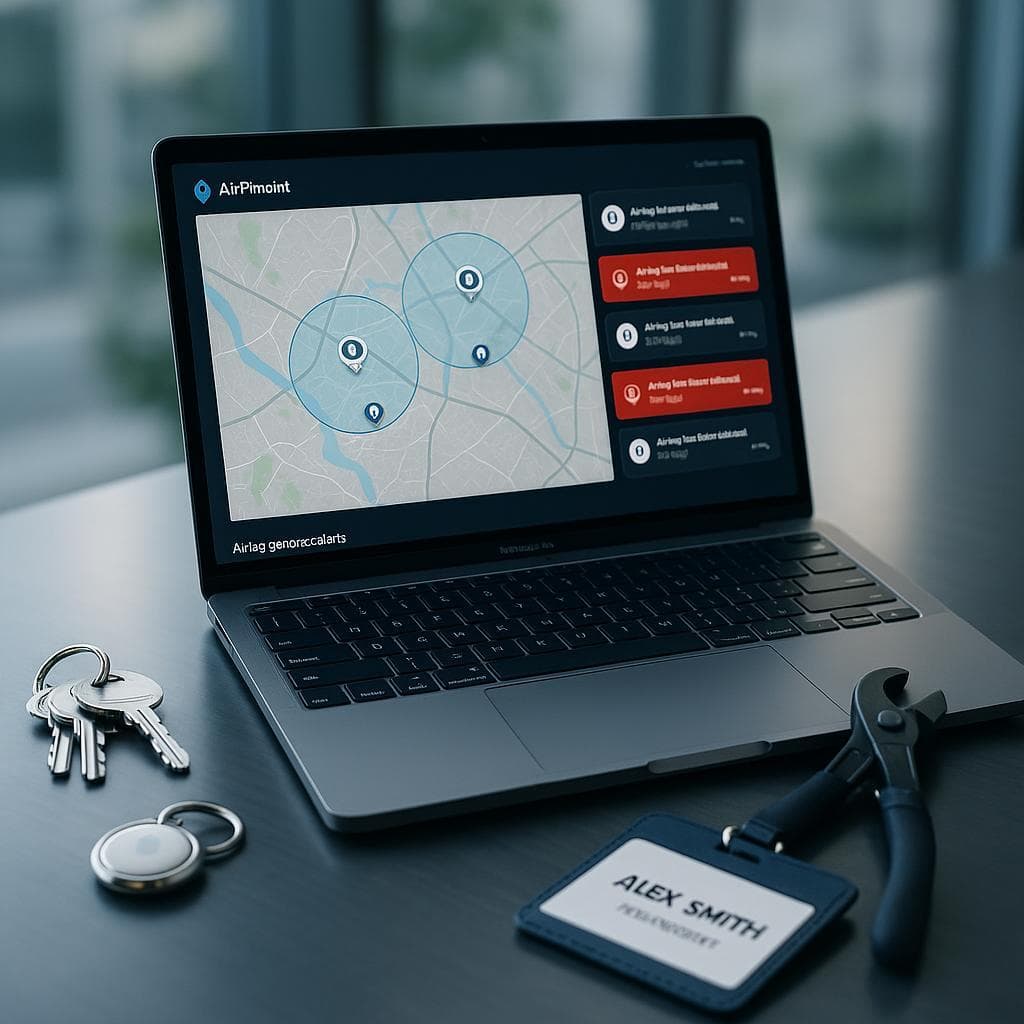
Attach an AirTag inside each piece of equipment. The AirTag broadcasts a Bluetooth signal every few seconds. Any iPhone within Bluetooth range (about 30-50 feet) detects the signal and anonymously relays the AirTag's location to Apple's Find My network. Airpinpoint pulls that location data into a fleet dashboard.
For restoration companies, this means every dehumidifier, air mover, and air scrubber shows up on a map with its current location. No manual logging. No discipline required from techs. The tracking happens automatically because iPhones are everywhere, especially in the residential neighborhoods where most water damage jobs occur.
Where to Mount AirTags on Restoration Equipment
Dehumidifiers. Mount inside the filter compartment, behind the access panel, or inside the drain hose connection area. Most commercial dehumidifiers have removable panels for maintenance. The AirTag goes where a technician won't accidentally knock it loose and a homeowner won't see it or remove it.
Air movers. Inside the motor housing cover or in the base cavity beneath the fan assembly. These are tight spaces, which is actually an advantage: the AirTag stays put through handling and transport.
Air scrubbers. Inside the filter chamber (behind the pre-filter) or in the control panel area. Air scrubbers have enough internal space that mounting is straightforward.
Moisture meters and thermal cameras. These high-value instruments typically live in hard cases. Attach the AirTag inside the case with adhesive. A $7,000 FLIR camera that walks off a job site is worth tracking.
Extractors and pumps. Inside the housing or pump compartment. For truck-mount units, mount in the equipment bay.
The Daily Equipment Workflow with Tracking
Morning dispatch. The warehouse manager opens Airpinpoint and sees every piece of equipment on a map. They know exactly what's in the warehouse and what's deployed. Techs get dispatched with specific equipment pulled from warehouse stock, not "go grab some fans."
Job site deployment. Tech arrives at the water loss and sets up equipment. No logging required. The AirTags report the equipment's location automatically. The operations manager can verify deployment from the office.
Equipment pickup. When a job completes drying (confirmed by moisture readings), the office dispatches a tech to collect equipment. The dashboard shows exactly what's at that address, so the pickup is complete the first time. No second trips because the tech forgot the air scrubber in the attic.
End of day. Equipment returns to the warehouse. The dashboard confirms everything is back. If a dehumidifier is still showing at a closed job address, someone goes to get it tomorrow morning.
Geofence Alerts for Restoration
Set up geofences around:
Your warehouse. Alerts when equipment leaves outside business hours. Catches unauthorized borrowing and theft.
Active job sites. Alerts when equipment leaves before the job is closed. This catches the common scenario where a homeowner or tenant moves equipment outside, a tech pulls units for another job without telling the office, or an adjuster asks for equipment removal before drying is complete.
Technician home addresses (optional). Some companies geofence tech residences to flag equipment that goes home instead of back to the warehouse. This is a sensitive topic, but companies losing significant equipment to "tech hoarding" find it effective.
The Insurance Billing Angle
Equipment Deployment Documentation
Restoration companies bill insurance carriers for equipment usage, typically as line items in Xactimate. Standard billing includes the type of equipment, quantity, and number of days deployed. Insurance adjusters and third-party administrators (TPAs) like Alacrity, Crawford, and Sedgwick increasingly scrutinize these charges.
Airpinpoint's location history provides verifiable documentation that equipment was physically present at the claimed job site during the billed period. This isn't just good for the carrier. It protects the restoration company against billing disputes and audit clawbacks.
Defending Your Xactimate Line Items
When an adjuster questions whether you really had six dehumidifiers running at a residential water loss for five days, your options without tracking are "trust me" and whatever the tech wrote in their daily log. With Airpinpoint, you pull up the location history showing six tagged dehumidifiers present at the address from Tuesday through Saturday. It's timestamped, GPS-verified data.
For large commercial losses where equipment charges run into five and six figures, this documentation is worth more than the tracking cost.
Reducing Equipment-on-Rent Days
The flip side of billing is cost control. If your drying protocol calls for three days of dehumidifier deployment, but the equipment actually sits at the job for seven days because nobody picked it up, you're eating four days of wear, depreciation, and missed opportunity to deploy that equipment elsewhere. Tracking creates visibility into equipment sitting idle at completed jobs, so you pick it up promptly and redeploy it to the next loss.
Comparison with Industry Solutions
DASH by Next Gear Solutions
DASH is the leading job management platform for insurance restoration. It handles program compliance, job assignment, and project documentation. Some companies use DASH's equipment fields to track what's assigned to which job.
Strengths: Deep integration with insurance programs (State Farm, USAA, Farmers), automated compliance tracking, carrier-facing documentation.
Limitation for equipment tracking: DASH tracks equipment-to-job assignment, not physical location. If a tech moves a dehumidifier from Job A to Job B without updating DASH, the system shows it at Job A. There's no GPS or Bluetooth verification of where equipment actually sits.
Airpinpoint complements DASH. Use DASH for job management and carrier compliance. Use Airpinpoint for physical equipment location. The two solve different problems.
Encircle
Encircle handles field documentation: photos, moisture readings, room measurements, and visual reports. It's excellent at documenting the condition of the job, not tracking where your equipment fleet is deployed.
Strengths: Fast photo documentation, moisture mapping, professional reports for adjusters and homeowners.
Limitation for equipment tracking: Encircle documents what's at a job site at the time of a tech visit. It doesn't track equipment between visits or after the tech leaves.
GPS Trackers
Some restoration companies have tried putting GPS trackers on high-value equipment like dehumidifiers and thermal cameras.
Problem 1: Cost. GPS trackers run $25-$45/month per device. Tracking 100 pieces of equipment costs $30,000-$54,000/year. That's more than most companies lose to equipment shrinkage.
Problem 2: Charging. Battery-powered GPS trackers need charging every 1-4 weeks. Multiply that by 100 devices and someone is always charging something. In practice, dead trackers accumulate and the system loses coverage.
Problem 3: Size. GPS trackers are larger than AirTags and harder to mount inside equipment housings. External mounting means techs and homeowners notice them, remove them, or damage them.
Airpinpoint at $11.99/month/device costs $14,388/year for 100 devices. Battery lasts a year with no charging. The AirTag is small enough to mount invisibly inside any piece of restoration equipment.
Implementation Plan for Restoration Companies
Phase 1: High-Value Equipment (Day 1)
Start with the equipment that hurts most when it disappears.
- Tag every thermal imaging camera ($3,000-$10,000 each)
- Tag every commercial dehumidifier ($1,000-$3,500 each)
- Tag every air scrubber ($1,000-$5,000 each)
- Register each device in Airpinpoint with equipment name, serial number, and type
- Set up a geofence around your warehouse
This covers 50-80 devices and the highest per-unit values in your fleet.
Phase 2: Air Movers and Support Equipment (Week 2)
Expand to the higher-volume, lower-cost equipment.
- Tag air movers (your largest category by count)
- Tag extractors, pumps, and hydroxyl generators
- Set up geofences around active job sites
Now you have full fleet visibility.
Phase 3: Operational Integration (Week 3-4)
Build equipment tracking into your daily workflow.
- Morning equipment check: operations manager reviews the dashboard before dispatch
- Job closeout checklist: verify all equipment collected before closing a job in DASH/Encircle
- Weekly audit: 5-minute dashboard review to catch equipment sitting at closed jobs
- Monthly reporting: track equipment utilization rates and identify chronic "lost" units
Phase 4: Billing Documentation (Ongoing)
Use Airpinpoint location history to support equipment deployment charges on insurance claims. Pull location records during Xactimate estimate preparation to verify deployment dates and duration.
Honest Limitations
Not a moisture monitoring system. Airpinpoint tracks where equipment is, not what it's doing. You still need moisture meters and data loggers (like Phoenix DryLINK or Dri-Eaz InjectiDry) to monitor drying progress and document conditions for insurance purposes.
Location updates are not second-by-second. AirTags rely on nearby iPhones for location updates. In residential areas, updates typically come every 15 minutes to a few hours. This is fine for fleet-level "where are my dehumidifiers" visibility, but not for real-time movement tracking during transport.
iPhone density matters. Most restoration work happens in populated residential and commercial areas where iPhone density is high. Rural properties with no nearby foot traffic will get less frequent updates. However, any crew member's iPhone within Bluetooth range triggers an update, and restoration techs carry phones.
Cannot track small consumables. AirTags make sense on equipment worth $200 or more. Disposable supplies like poly sheeting, drying mats, or antimicrobial chemicals aren't worth tracking individually.
Why Restoration Companies Choose Airpinpoint
-
The equipment loss problem is universal. Every restoration company owner knows the pain of buying dehumidifiers in spring and not being able to find them by winter. Airpinpoint makes the entire fleet visible on a single map.
-
The price point matches the equipment value. Tracking a $2,000 dehumidifier at $11.99/month makes economic sense. GPS trackers at $35/month don't.
-
No tech discipline required. Spreadsheets and whiteboards fail because they depend on humans updating them during emergencies. AirTags track automatically. The tech doesn't do anything differently.
-
Residential areas are ideal for AirTags. The Apple Find My network performs best in populated neighborhoods, which is exactly where water damage, fire restoration, and mold remediation jobs happen.
-
Insurance documentation is a bonus. Location history supporting equipment deployment charges on Xactimate estimates isn't the primary reason companies buy Airpinpoint, but it's often cited as the feature that made the ROI case obvious.
Restoration companies that have run on warehouse walks, spreadsheets, and "call the tech" methods know the real cost: equipment that evaporates from inventory, replacement purchases that shouldn't be necessary, and insurance billing disputes that lack documentation. Airpinpoint replaces all of that with a dashboard showing every dehumidifier, every air mover, and every thermal camera, at every job site and in every tech's truck, updated automatically.
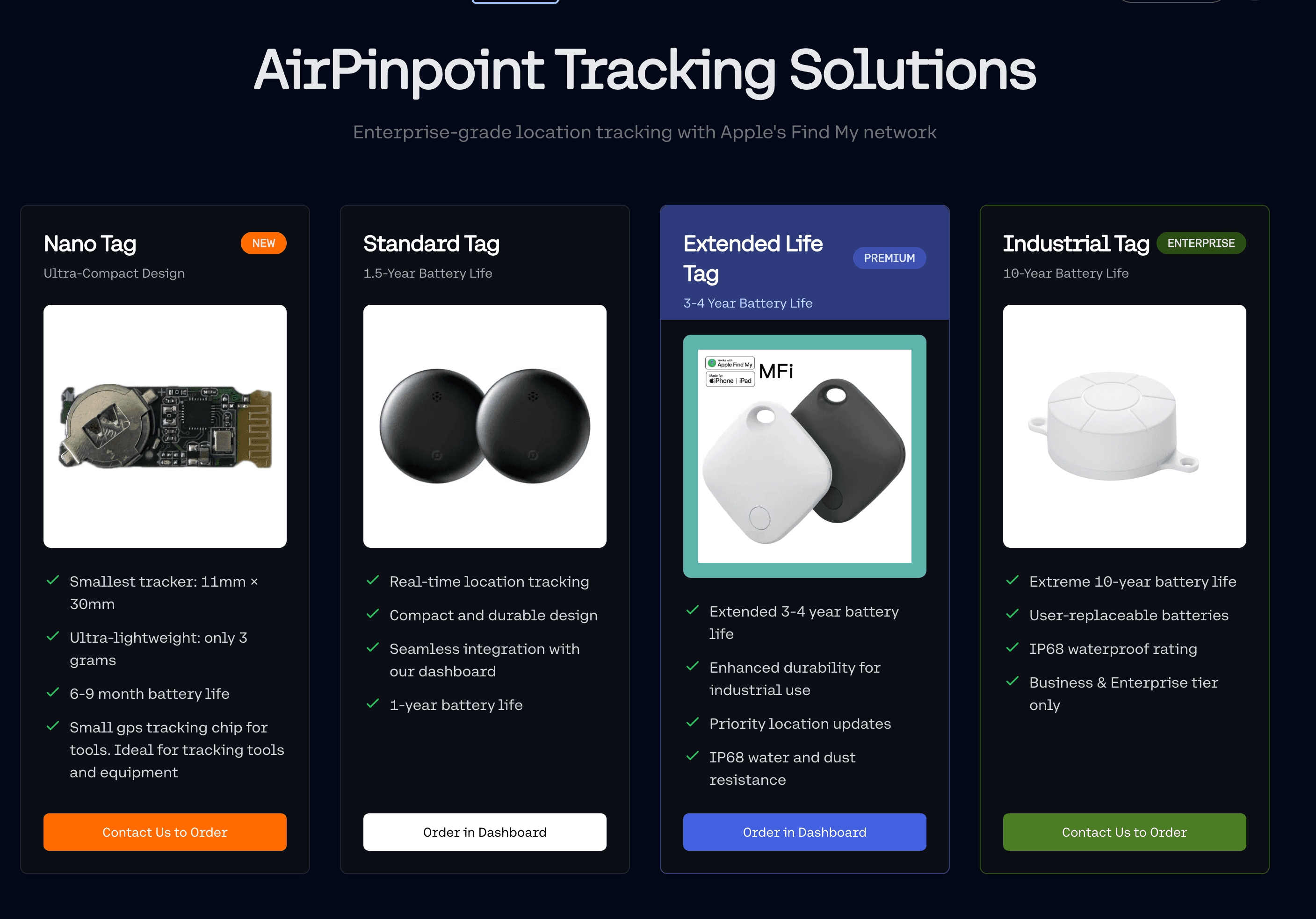
 Our Solution